
SSD Cooling
NVMe and SATA SSDs accumulate heat under sustained read and write workloads, causing controllers to throttle transfer speeds and reduce the effective performance of an otherwise fast storage subsystem. TEUCER SSD Cooling provides precision-engineered aluminum heatsink solutions that absorb and dissipate drive heat efficiently, keeping controller and NAND temperatures within safe operating margins during intensive data transfers. Browse the full range of thermal heatsink solutions at the official store and order online today at the best price.
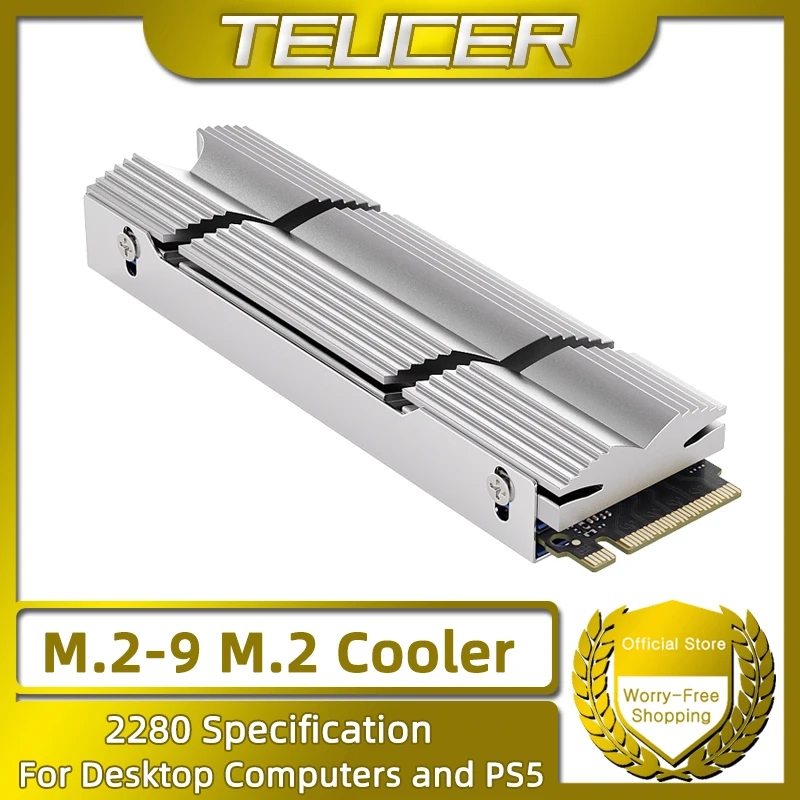


TEUCER SSD Cooling — Thermal Heatsink Solutions for NVMe and SATA Drives
TEUCER SSD Cooling products address a specific and measurable problem: the tendency of high-speed NVMe drives to reach thermal throttling thresholds within seconds of beginning a sustained sequential write operation at full rated bandwidth. Modern PCIe Gen 4 and Gen 5 NVMe controllers generate substantial heat at peak throughput, and without active or passive dissipation, the drive firmware reduces transfer speed to protect the NAND and controller from damage. This category includes low-profile aluminum heatsinks, dual-fin-stack coolers, and contact pad kits designed to fit the M.2 2280 form factor used by the vast majority of consumer NVMe drives. SATA SSD heatsink solutions are also available for 2.5-inch drives in dense multi-drive storage arrays where drive bay temperatures rise due to restricted airflow. Every product ships with high-conductivity thermal interface pads pre-cut to drive dimensions, eliminating the gap-filling uncertainty that comes with using generic thermal compound on flat controller surfaces. The trusted brand approach to SSD thermal management prioritizes contact surface precision so that the heatsink base contacts the full controller surface area rather than bridging across component height differences. Builders who run video editing workloads, game asset streaming, or large file compilation tasks see measurable sustained transfer speed improvement after installing a correctly rated thermal heatsink solution.
Heatsink Materials, Thermal Pad Specifications, and Construction Details
Aluminum alloy 6061 forms the primary structural material for heatsinks in this lineup because it combines a thermal conductivity of approximately 167 W/m·K with low density, keeping added drive weight within M.2 slot retention limits. Fin arrays are machined or extruded with a pitch calculated to maximize convective surface area within the height constraints imposed by PCIe slot clearance on densely populated motherboards. Thermal interface pads included in each kit carry a conductivity rating of 6 W/m·K or higher, which transfers heat from the controller hotspot to the heatsink base more effectively than the 1 to 2 W/m·K pads commonly bundled with motherboard M.2 covers. Dual-fin-stack heatsink designs separate the controller contact zone from the NAND contact zone, applying independent pad thickness values matched to the actual component height difference on each drive model. Anodized surface treatment on exposed aluminum fins increases emissivity, allowing the heatsink to radiate infrared heat more effectively than bare machined aluminum in the same ambient environment. Retention clips use stainless steel spring wire calibrated to apply consistent clamping force across the heatsink base without warping thin M.2 PCBs, a failure mode observed with rigid bracket designs at elevated temperatures. Best results occur when the heatsink is installed on a drive positioned in the primary M.2 slot, where motherboard trace routing provides the lowest impedance power delivery and the most consistent thermal environment.
Why Passive Heatsink Cooling Outperforms Relying on Case Airflow Alone
Relying on incidental case airflow to cool an M.2 drive assumes that a consistent and sufficient airstream passes across the bare controller surface, an assumption that fails in most mid-tower builds where M.2 slots sit behind GPU cards or under chipset heatsink covers. A dedicated aluminum heatsink creates a conductive path from the controller hotspot to a fin array with 8 to 12 times the exposed surface area of the bare drive PCB, providing passive dissipation that does not depend on airflow volume or direction. Independent thermal testing shows that a 6 W/m·K pad paired with a 6061 aluminum fin-stack heatsink reduces controller peak temperature by 15 to 22 degrees Celsius during a 10-minute sustained sequential write at full rated bandwidth. That temperature reduction keeps the controller below its throttling threshold for the duration of the workload, preserving the rated write speed rather than allowing it to drop to a sustained throttled value 30 to 60 percent below peak. TEUCER SSD Cooling products are designed to fit within motherboard M.2 slot clearance dimensions, including slots positioned beneath PCIe x16 slots where vertical clearance is tightest. Competing generic heatsinks frequently use lower-grade thermal pads with conductivity values below 3 W/m·K, which limits the thermal benefit to a fraction of what a correctly specified pad delivers. Where to buy your heatsink solution matters: the official store provides accurate pad thickness specifications matched to popular drive models, ensuring the kit you receive actually fits your specific NVMe drive without shimming or modification.
How to Select and Install the Correct SSD Heatsink for Your Drive
Identify your drive model and confirm its controller chip height before selecting a heatsink kit, since controller height varies between manufacturers and determines the correct thermal pad thickness required for full contact. For drives installed in motherboard slots that already ship with a factory M.2 cover, remove that cover before installing a third-party heatsink, as stacking both creates excessive height that prevents GPU or expansion card installation in adjacent slots. Apply the included thermal pad to the controller surface only, aligning it precisely with the controller boundary rather than allowing overhang onto passive components where pad compression could cause electrical shorting. Seat the heatsink base flat against the pad surface and engage the retention clip at both ends of the M.2 drive simultaneously to avoid tilting the heatsink and creating an uneven contact pressure distribution. After installation, run a benchmark that exercises sustained sequential write for at least five minutes and monitor drive temperature using storage monitoring software to confirm that peak temperature stays below 70 degrees Celsius throughout the test. For builds with multiple NVMe drives, install heatsinks on all populated slots to prevent thermal cross-contamination between adjacent drives sharing a confined M.2 zone. Order online from the official TEUCER store today to access the best price on heatsink kits sized for your specific drive model and to receive thermal pad sets with confirmed conductivity specifications.